
Help
Client guide
How to post satcom jobs, book verified installers, follow the work and pay on Satcom Installer.
Getting started
Satcom Installer helps integrators, service providers and ship operators find verified satcom installers: fixed VSAT, maritime, Starlink, OneWeb, earth stations, repointing and maintenance. You post a job, compare quotes, book, follow the work and approve a digital service report before the installer is paid.
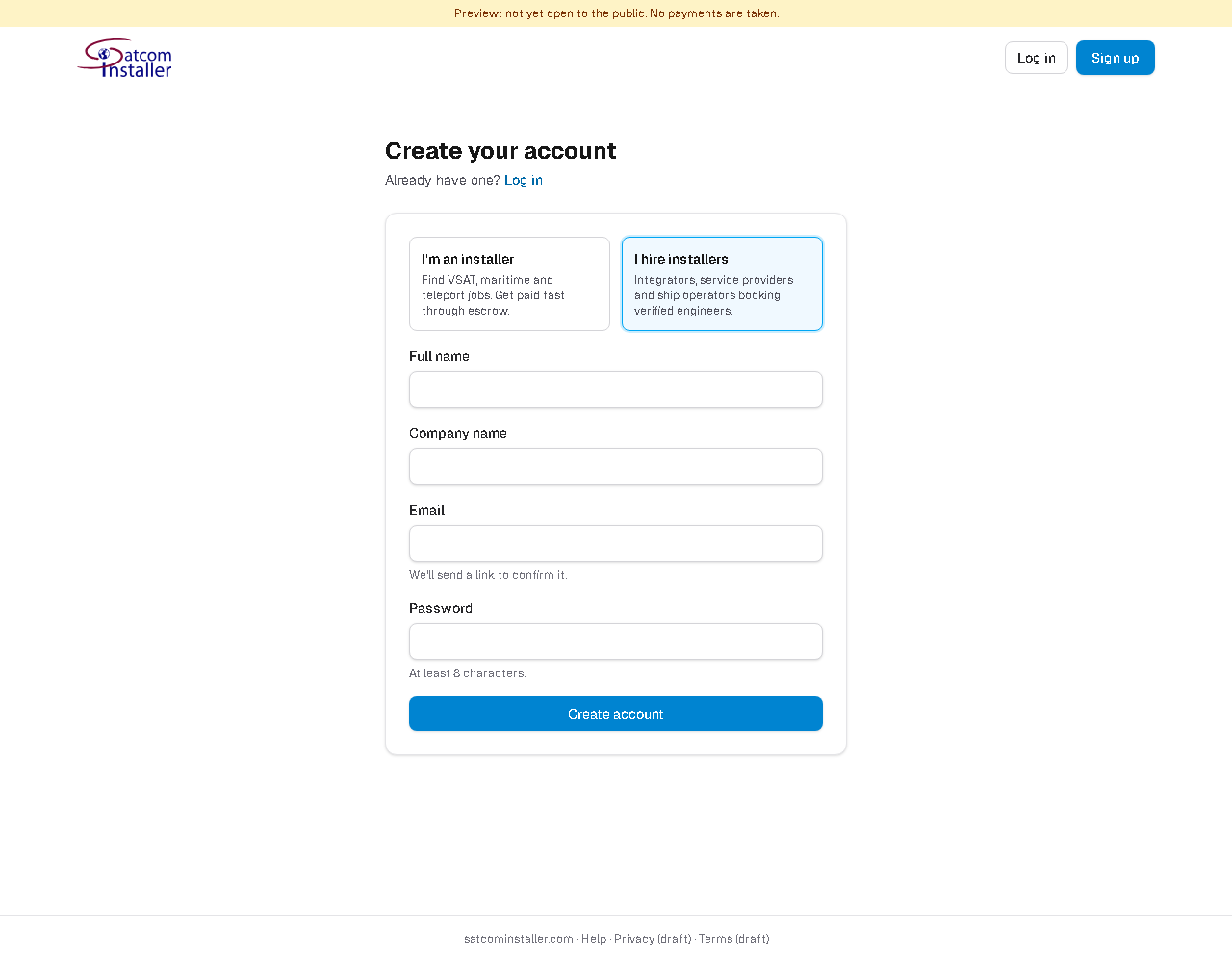
- Sign up and choose I hire installers.
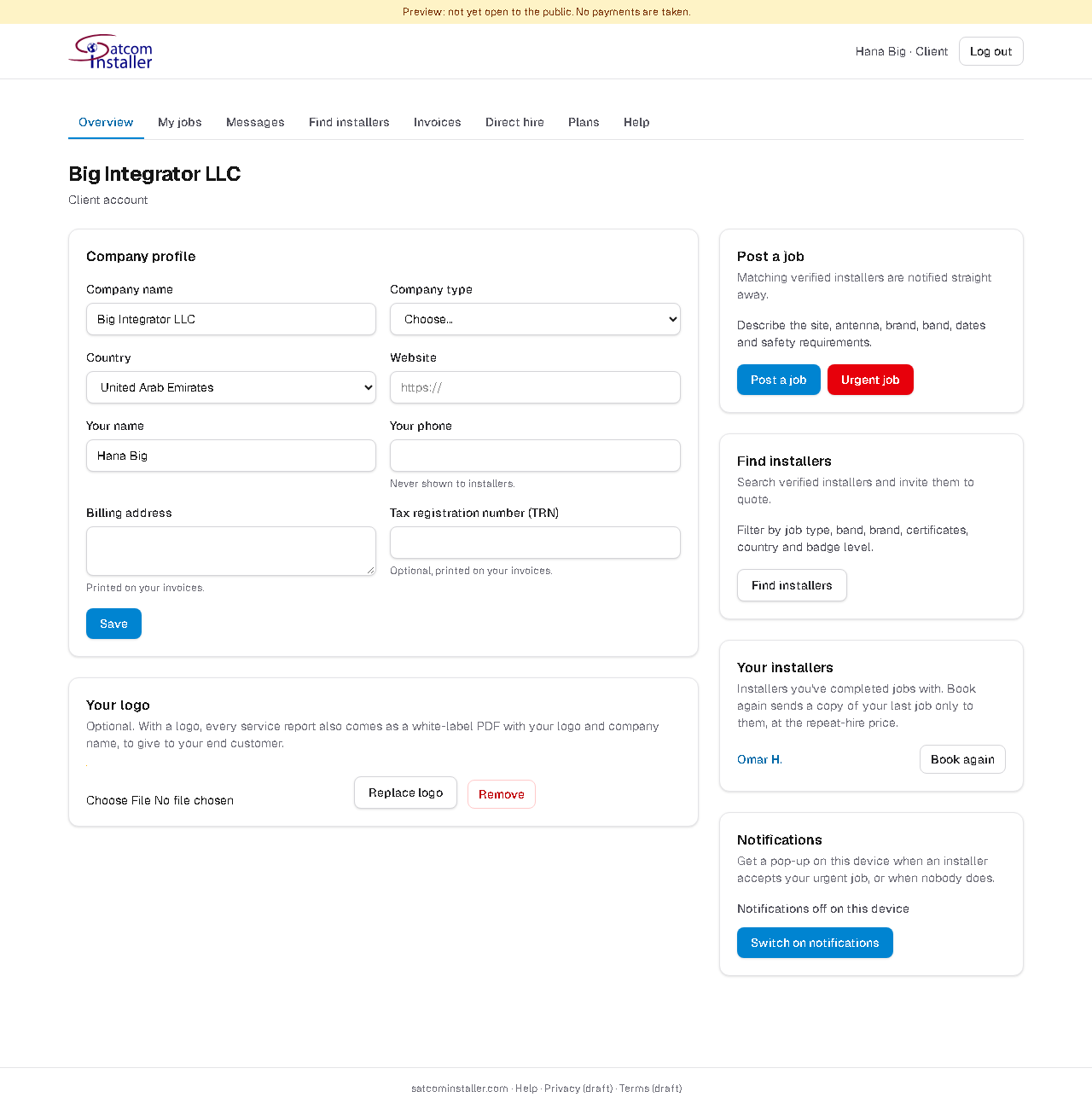
- Fill in your company profile: billing address and tax number are printed on your invoices.
- Optionally upload your logo: every service report then also comes as a PDF with your logo, to give to your end customer.
- Post a job, or an urgent job if you need someone fast.
Posting a job
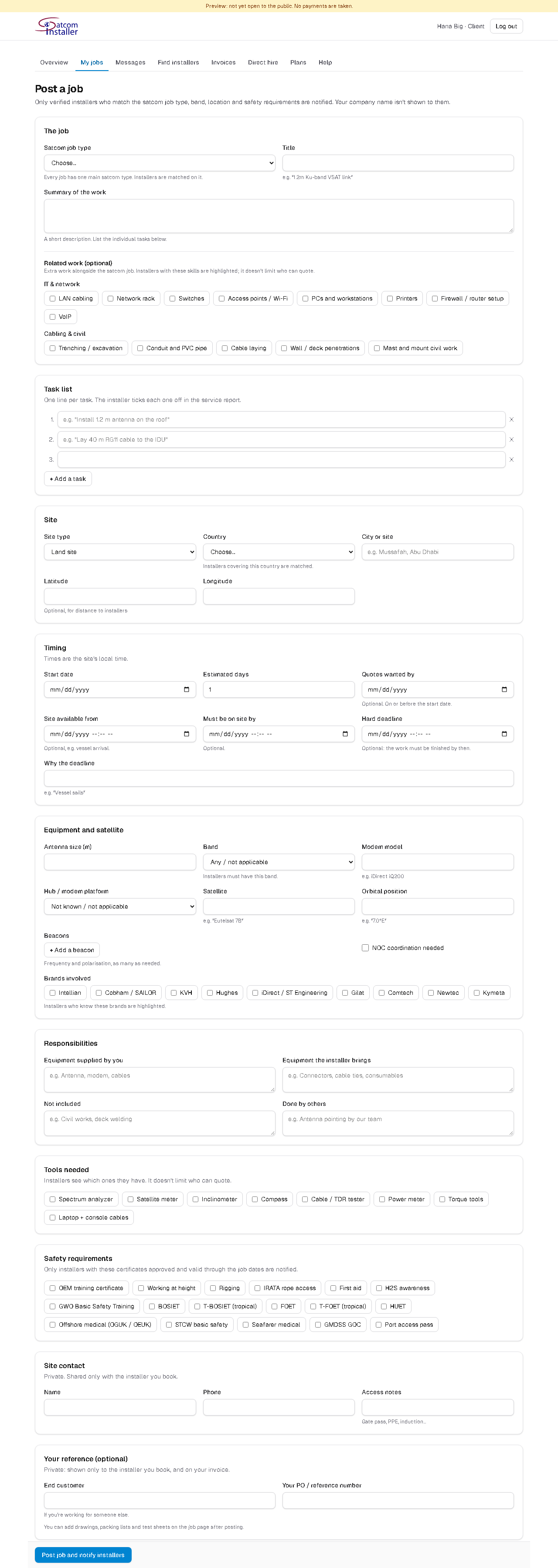
Only the basics are required; the more you add, the better the quotes.
- The job: the satcom job type, a title and a short summary. Add related work (IT & network, cabling & civil) if the job includes it.
- Task list: one line per task. The installer ticks each one off in the service report.
- Site: the site type. For a vessel, choose the port and give the vessel name, IMO, call sign and berth; these are shown only to the installer you book.
- Timing: start date and days, plus optionally when the site is available, when the installer must be on site, and a hard deadline (for example "vessel sails"). Times are the site's local time.
- Equipment and satellite: antenna, band, modem and hub platform, satellite, beacons, NOC coordination, brands.
- Responsibilities: what you supply, what the installer brings, what's excluded, work done by others.
- Tools needed and safety requirements: only installers with those certificates valid through the job dates are notified.
- Site contact: shared only with the installer you book. Your reference: end customer and PO number, printed on your invoice.
After posting, add files (drawings, packing lists, test sheets) on the job page. For each file, choose whether the installers who received the job can see it, or only the installer you book.
Your company name is hidden from installers until you book. Don't put phone numbers or emails in the job text: the site contact field is the safe place for them.
Finding and inviting installers
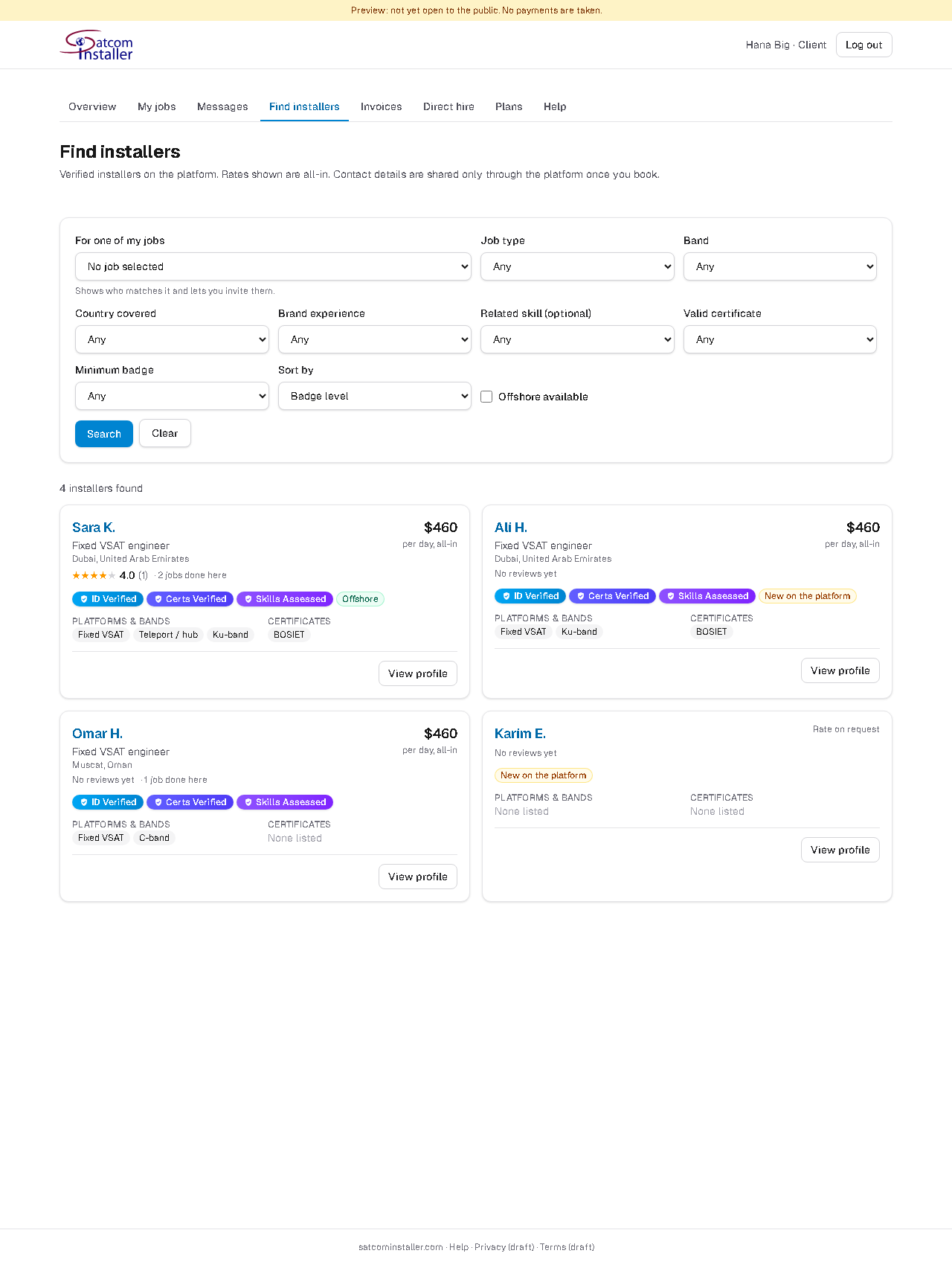
Matching installers are notified as soon as you post. You can also search Find installers by job type, band, country, brand, related skill, valid certificate, badge level and offshore availability, and invite someone to quote.
- ID Verified, Certs Verified, Skills Assessed and Field Verified badges show how far each installer has been checked.
- Ratings come from other clients after completed jobs.
Comparing quotes and booking
Quotes appear side by side on the job page. Prices are all-in, including platform fees.
- Each quote shows the breakdown (or "All-inclusive", travel and accommodation included), the rates for extra time, availability, validity and notes.
- You see how each installer fits the job's related skills and tools (✓ / ✗), their badges, and labels such as "New on the platform" or "Repeat-hire price" (a lower price when you rehire someone you've worked with).
- Message installers before booking if you have questions.
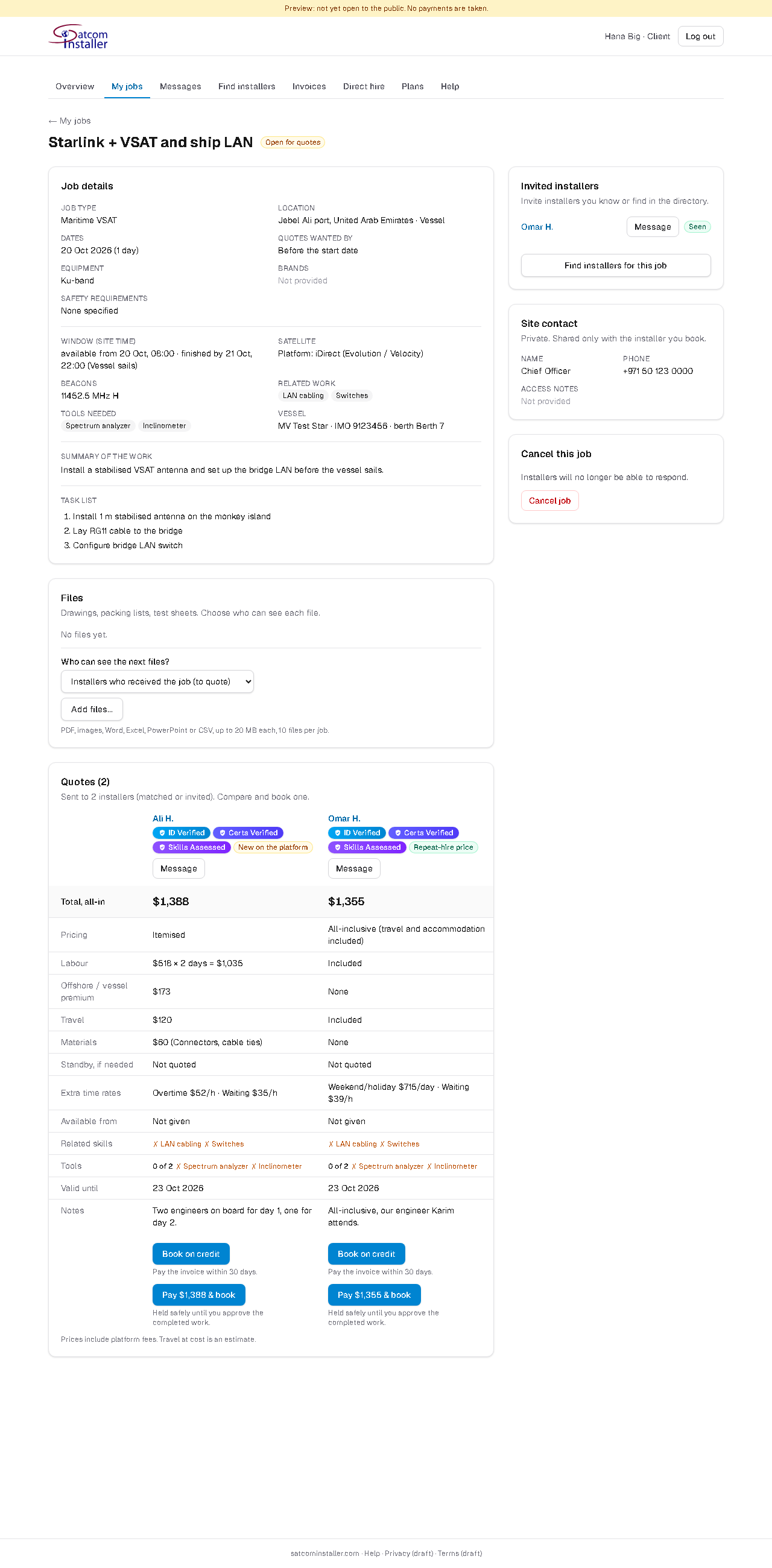
To book, click Pay & book: your card is charged and the money is held safely until you approve the completed work. You can also pay by bank transfer (contact us), and companies with a credit account can Book on credit and pay the invoice within their terms. The installer then receives the site contact, and the others are told they weren't selected.
During the job
- Site access pack: the details of each engineer going to site (ID, nationality, visa status, qualifications, tools) for arranging port or site access. Each view is recorded and visible to the engineer.
- Price and extras: if the installer needs to do more than quoted, they ask here with a price. Approve or reject it; approved extras are paid (or added to your credit) before the installer does them, and the job total updates.
- Visits: the installer plans the job as one or more visits.
- Blocked – waiting on client: if the installer can't continue because something is missing on your side, you're notified at once and a red banner shows on the job. Waiting time may be requested afterwards, at the rate agreed in the quote, and only counts if you approve it.
Approving the service report
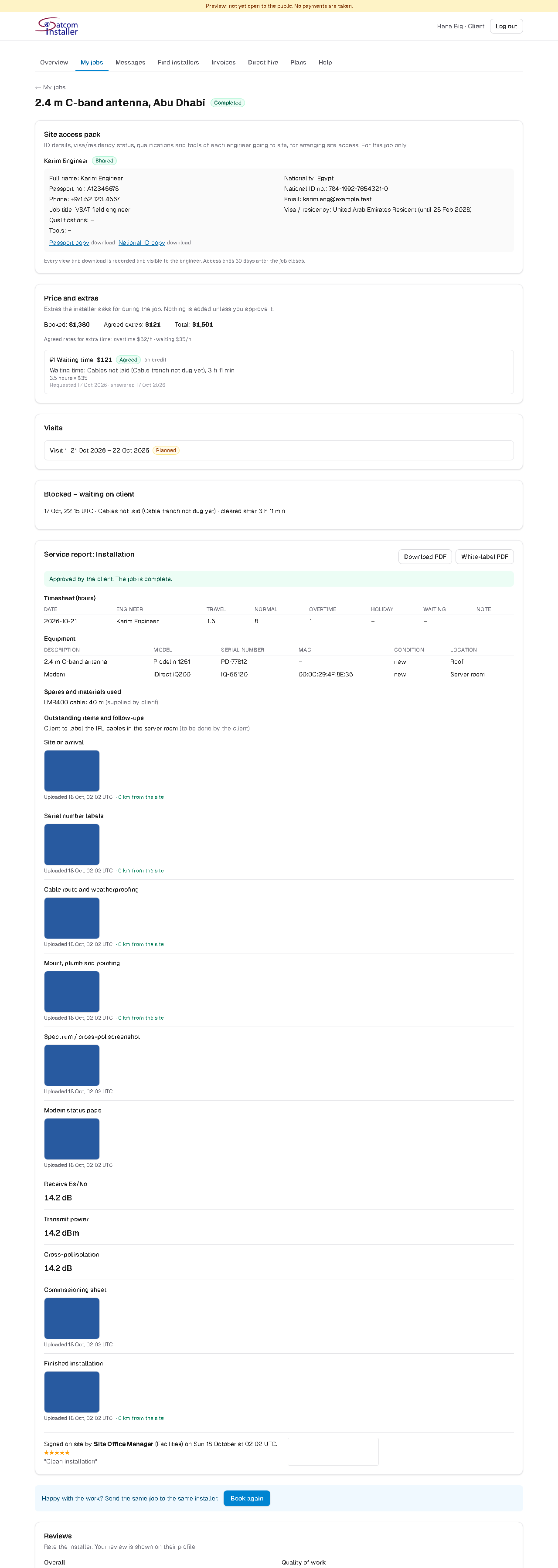
When the work is done, the installer sends a digital service report: tasks, timesheet, equipment and serial numbers, measurements, photos with time and location, and your site contact's signature. You're notified, and you choose:
- Approve: the job is complete and the installer is paid.
- Approve what's done: when some tasks are pending, approve the completed work; a follow-up visit is planned and the installer sends the report again.
- Ask for changes: something is missing from the report.
- Report a problem: the money stays held and our team reviews the job.
If you don't answer within 72 hours, the report is approved automatically. Download it as a PDF, and, if you uploaded your logo, as a white-label PDF with your logo and company name to give to your end customer. Neither version shows prices.
Rate the installer after the job, and use Book again to send the same job to the same installer in one click.
Invoices and credit accounts
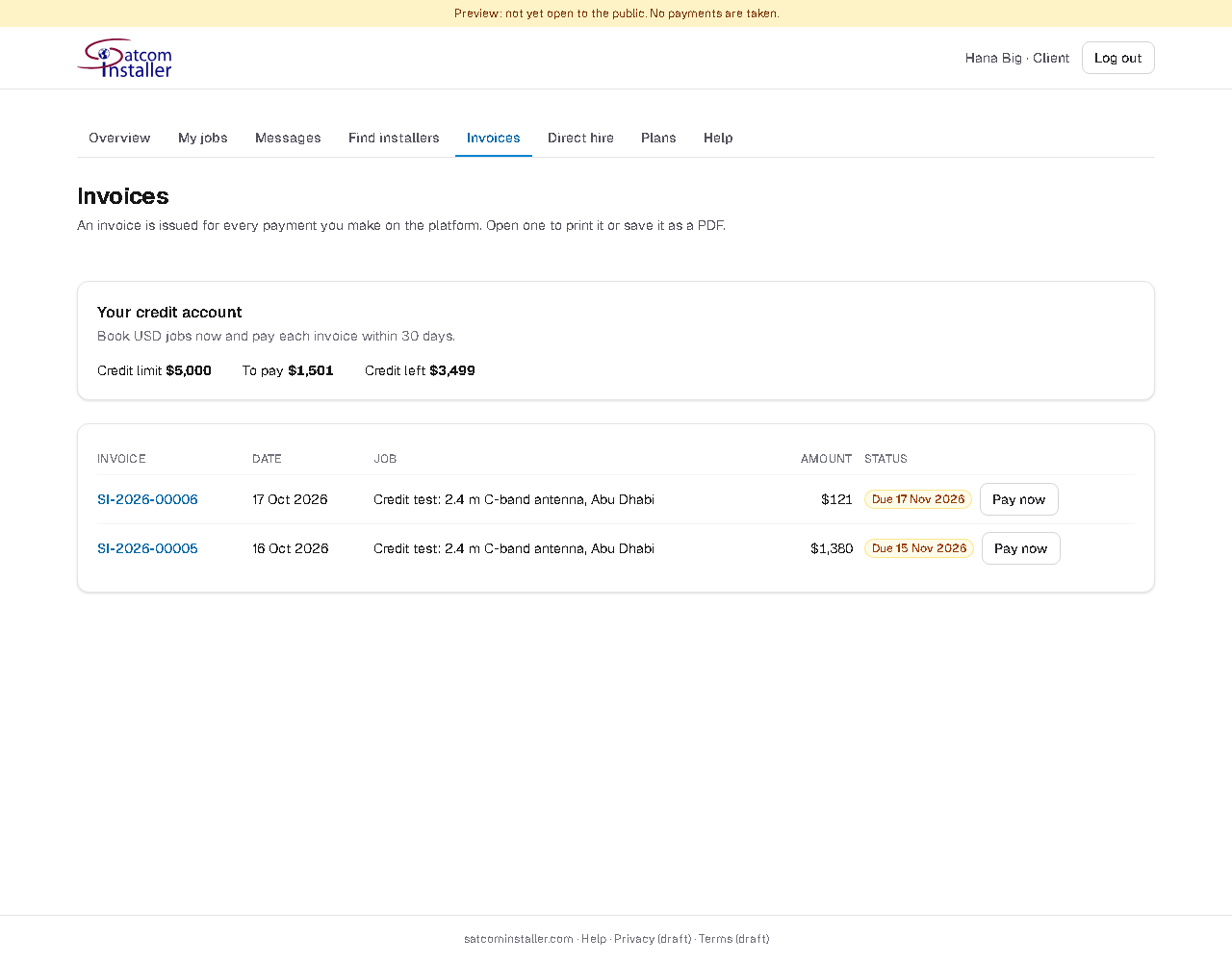
- An invoice is issued for every payment, and for each approved extra, with your PO and end customer if you gave them. Find them all in Invoices.
- With a credit account, you book USD jobs without paying upfront and pay each invoice within your terms (30 days unless agreed otherwise), by card with Pay now or by bank transfer.
- Reminders come 7 and 3 days before the due date. While an invoice is overdue, new bookings on credit are paused (card payment still works).
Interested in a credit account for regular work? Contact us.
Urgent jobs
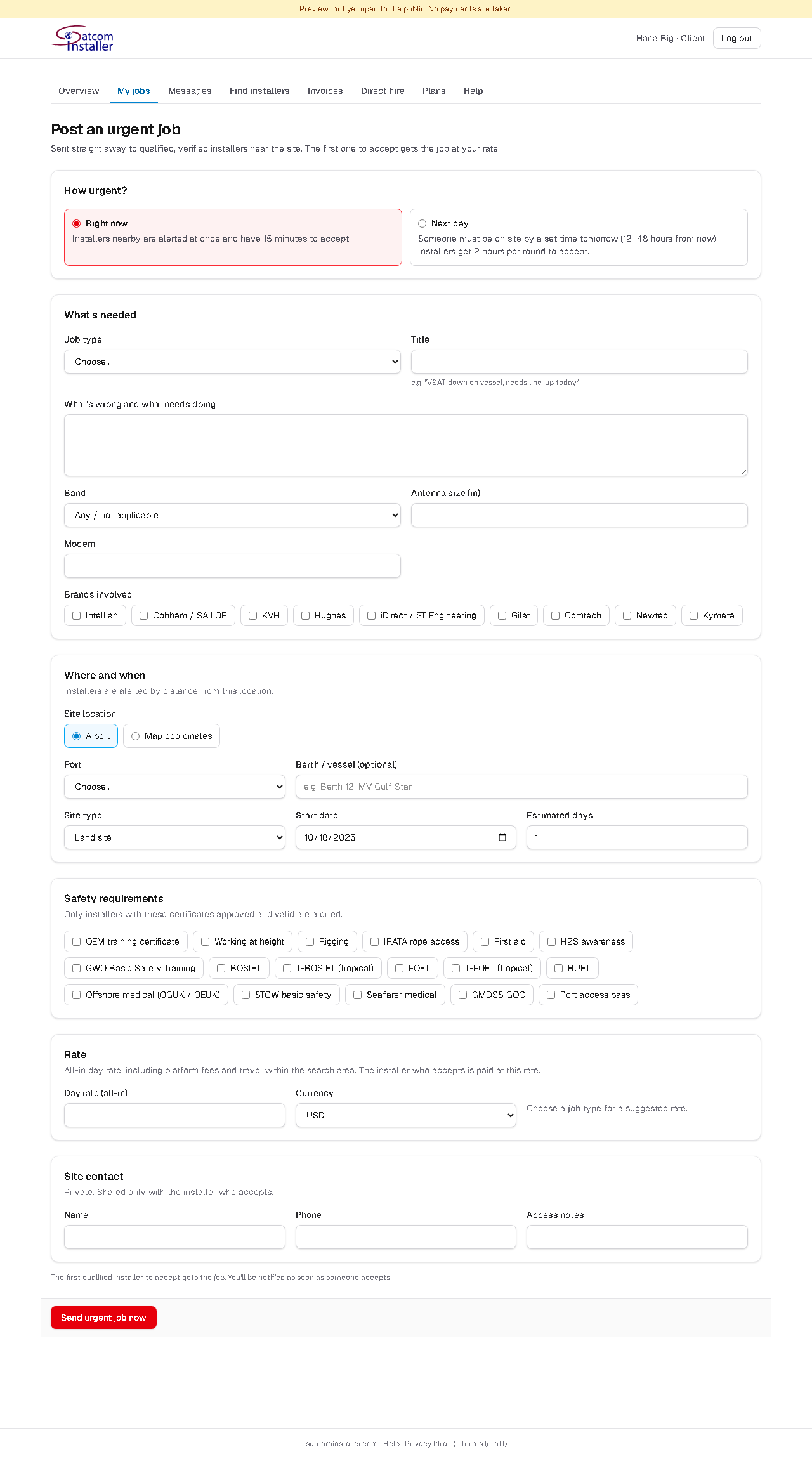
Click Urgent job when you need someone fast. Choose:
- Right now: qualified installers near the site are alerted at once and have 15 minutes to accept; the search widens if nobody does.
- Next day: someone must be on site by a time 12–48 hours from now; installers get 2 hours per round to accept.
Pick the port or the site's coordinates and set an all-in day rate. We suggest a rate based on installers in the area, and warn you if yours is much lower. A dispatch fee is added. Only highly verified installers who are available for urgent work are alerted, and the first to accept gets the job.
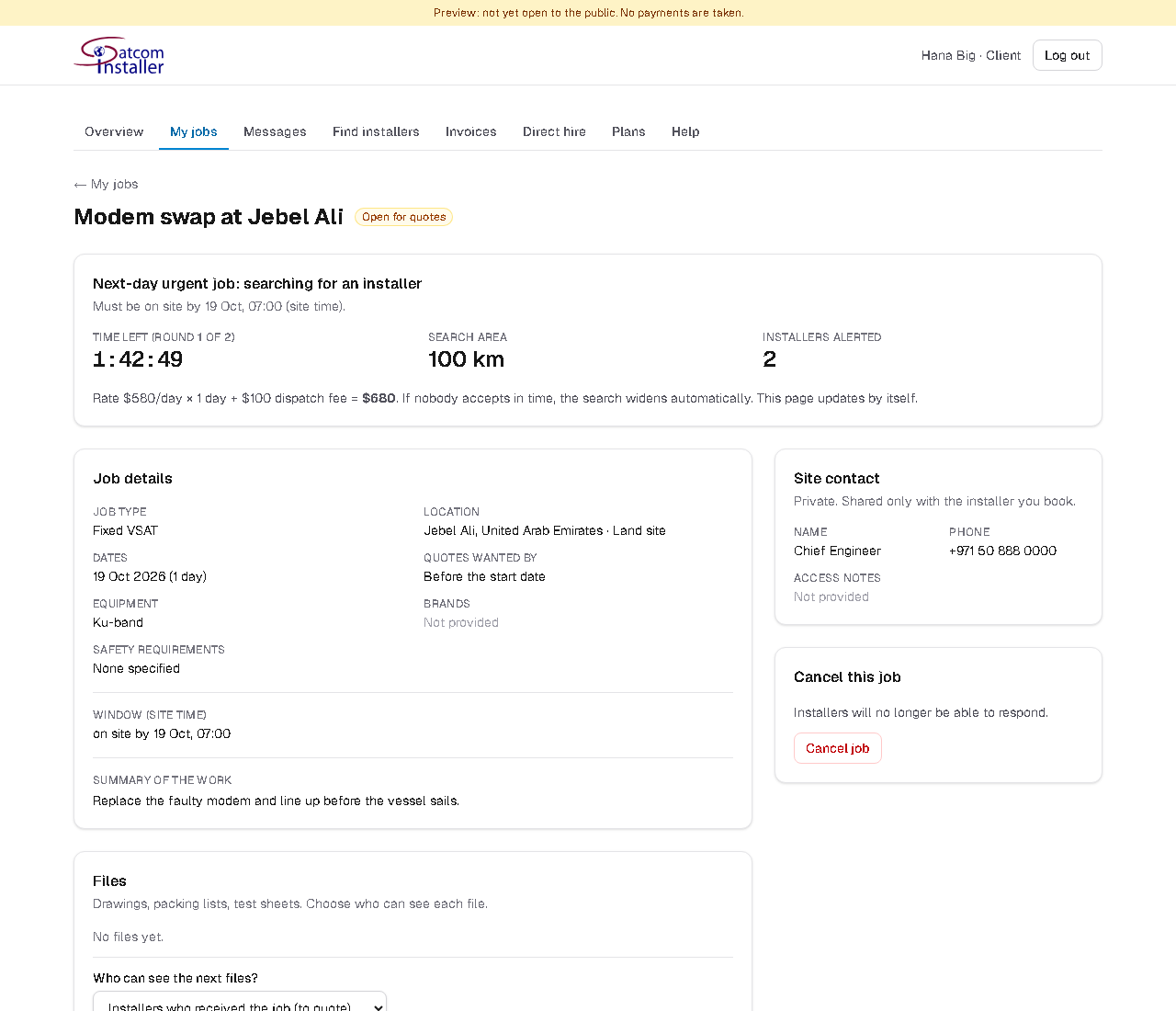
Your card is only held, not charged, until someone accepts. If nobody does, you can raise the rate, turn it into a normal job for quotes, or cancel. If the installer doesn't turn up, report it on the job: the booking is released and you can send it out again.
Questions and answers
- When is my card charged?
- When you book (for urgent jobs: when an installer accepts). The money is held by Satcom Installer and paid to the installer only after you approve the work.
- Can I cancel?
- Contact us. If you cancel after paying, you're refunded minus a small payment fee; if the installer was at fault, you're refunded in full.
- Who sees my company name and site contact?
- Only the installer you book. Before booking, installers see the job without your name.
- The installer asked for more money during the job. Do I have to accept?
- No. Extras only count if you approve them, and you can reject them with a comment.
- Can I hire an installer directly?
- Use Direct hire on their profile. If they accept and you pay the direct-hire fee, you both receive each other's contact details.
- What if I'm not happy with the work?
- Click Report a problem on the service report before approving. The money stays held while our team reviews it.
Screenshots show example data. Can't find what you need? Message us from your account.